
Showing posts with label MIDI Delay. Show all posts

Thursday, 25 June 2020

Triple Flexible Routing Probabilistic Transposing Delay in Max For Live for Ableton Live

Sometimes, a MaxForLive device is right on the edge of not working, and normally I put it to one side for 'further investigation'. But every so often, an 'almost working' device is so cool that it goes along a different route: an experimental device with warnings. MIDIdelA3 is just such a device...

For a while now, I have been exploring the edge of the musical map that has 'Probability' on it, off to one side of a region called 'Generative'. But it wasn't until I combined probability with a much older topic, echoes, that things started to get really interesting. One of my very early echo effects was called 'Missing Echo', because it didn't put an echo on every note, and updating the concept with probability, as well as moving the delay into the MIDI domain, started to produce some useful results.

People have been playing around with echo and delay effects for a long, long time. One of the current 'leading lights' is Olafur Arnalds, an Icelandic multi-instrumentalist who has been using custom 'smart delay' software in live performance, and who recently collaborated with Spitfire Audio to release 'Stratus', a toolkit of software and a linked sample library that uses complex delays to augment live performance.

MIDIdelA3


MIDIdelA3 isn't complex, and it isn't anywhere near the functionality of Stratus, but it hovers at the edge of what my 2008 Macbook Pro can reliably accomplish in MaxForLive. It might be generously described as being 'far from perfect', and isn't really suitable for 'mission critical' use, but it is a fascinating glimpse into what is possible with MaxForLive. It has three identical processing sections, each with a delay, a transposer, a probability control, a velocity scaler and a loop switch. You can connect the three sections together in three different ways: in series, in parallel, and in a mix of serial and parallel. There are 20 memories, and a large rotary control that lets you select from those memories, so once you have set up the memories, then it can be used as a 'single control' device if you wish.

Setting up the memories sounds easy, but there's more to it than meets the eye. Having three different topological connections between the three sections is quite hard to get your head around, and the probability control has more effect that you might think, because when a note has an 80% chance of passing through a section, then that drops when it goes through a second section with 80% probability, and if it goes through a third section, then another 80% probability means that you aren't going to hear that triply-delayed note very often. Then there's the velocity scaling, which reduces the velocity of notes, and which is particularly important when you loop a section, because it keeps things stable, or almost does. Yep, this is one of those delays that can run away with itself...

Inside

I haven't used the MIDI Delay that Ableton include as one of the MaxForLive demos because it is too much like 'a maze of twisty little passages, all different'... Instead I have coded it myself using a different approach, and this probably explains why it 'almost' works - my programming is not very advanced, I'm afraid. But it does get close enough to being usable to be worth revealing, because I'm sure that there are better programmers out there who can improve on the concept...and like all of my software on MaxForLive.com, it is free and unencumbered by rights licensing restrictions.

The way that you are supposed to do operations on time-critical events is to time-stamp them as they arrive, and then work your way through a time-based list, so that they are dealt with in strict time order. If you look inside the Ableton MIDI Delay example MaxForLive code then that is exactly what you will find - and there's quite a lot of code in there...

I chose to do it using the much simpler 'cheat's' way. I used two 'pipe' objects, one for the MIDI Note Number values, and the other for the MIDI Velocity values. Normally, when time-stamping a pair of values like Note Number and Velocity, you would group them together as a single event, and give that pair of values a time-stamp. When using two separate pipe objects, then the Note Number becomes one event in a time-delay, whilst the Velocity becomes a different event in a different time-delay. You can probably see why this isn't a perfect solution! But, for 'quick and dirty', it kind of works, and it requires very little coding!

So for the three processing sections (Time Delay, Transpose, Probability, Velocity Scaling, and Looping) there are six pipe objects, arranged in pairs (Note Number, Velocity). These three sections are connected together using a set of 24 switches that do all of the routing for the three different ways that the three sections can be connected (serial, parallel, and a mix). The three connection diagrams look a little bit like the FM 'Algorithm' diagrams that the Yamaha DX7 had on its top panel, and they kind of show the same sort of routing, but nothing more than that.

Using it

Depending on the way that the three processing sections are connected, the basic explanation goes like this:
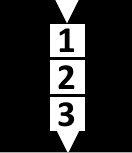

Connection 1 - the serial (top diagram) connection sends the MIDI messages through section 1 (and outputs delayed notes), then section 2 (and outputs delayed notes), then section 3 (and outputs delayed notes).


Connection 2 - the mix of serial and parallel connections (middle diagram) sends the MIDI messages through section1 and outputs delayed notes), and then through section 2 and 3 at the same time (in parallel) (and outputs delayed notes from both sections).


Connection 3 - the parallel (lower diagram) connection sends the MIDI messages through sections 1, 2 and 3 at the same time (and outputs delayed notes from all 3 sections.)

Each section has a separate Loop button, and the Velocity Scaling rotary control acts like the 'Feedback' control in an ordinary audio delay or echo effect. If the Velocity Scaling is set too high, then the processor will quickly become overwhelmed with too much data, and will stop working. This may cause strange noises, which may be loud! Please use the Loop buttons with care. If the device does become overwhelmed, then the 'All' button can be used to turn off any of the Loop buttons.

The Loop buttons can be turned on whilst the device is operating. So you can set up the controls, and then turn on looping for just one of the sections - this is very effective for creating rhythmic 'motifs' and other repeating sounds. The recommendation is that you normally have all of the Loop buttons set to Off, and turn one (or more) on to get a repeated motif for a short time, and then to turn the Loop button off again. This will keep the device stable.

If you have a transpose control set to anything other than the middle 'zero' setting, then using the Loop buttons will quickly cause very low or high MIDI notes to be produced - because the transposition accumulates for each repeat. If you set it for an octave, then after only a few repeats the notes will be at the limit of the MIDI range. Please use the Loop buttons with care when using the Transpose rotary controls.

The Time, Probability and Velocity Scaling rotary controls are not linear - half way round is not half the effect. This is deliberate, and is intended to provide the most control where it is needed. For example, the Velocity Scaling you will use most will be at around 70 or 80%. 100% may cause the effect to be overwhelmed, and is not recommended. Less than 60% will tend to produce only a small number of repeats (echoes).

Note that the Probability rotary control prevents notes from passing through a section. This applies to repeated echoes, so the Probability rotary control and Velocity Scaling rotary control will both reduce the number of repeats (echoes), and will help to prevent the device from being overwhelmed.

To store settings that you like in a preset 'memory', shift-click on the relevant grey square in the lower left hand corner. To recall a 'memory' preset, just click on the relevant square (it will change to white), or use the 'Preset' rotary control. If you use the 'Save' icon on the upper right of the device, then you can save your settings in a file inside Ableton Live, ready for use next time.

MIDIdelA3 is a sophisticated MIDI delay unit. It is capable of some interesting effects, including some that are not normally found in echo or delays that process audio signals (digital or analog). Please be aware that too many notes played at once, or high settings of Probability or Velocity Scaling may cause the processor to become overwhelmed, so take care. The red '!' round button is a placeholder for a future method of stopping the processing from becoming overwhelmed.

MIDIdelA3 sometimes behaves strangely with some instruments, and you may experience 'held' or 'stuck' notes. I am still trying to find out why this happens... For your first testing, please use a percussive sound that decays to nothing relatively quickly, rather than a sound that sustains.

Remember that this is an experimental MaxForLive device, and it is not perfect. Some of the links below may provide more robust, similar and more advanced versions of the effects that MIDIdelA3 produces, and should be researched if you want to explore this type of MIDI delay further.

Update

Since version 0.03 was published, I have spent a lot of time trying to find out why sustained notes caused so much trouble to this plug-in. Here's what I found...

The development of this MaxForLive plug-in started out as an experiment to see what it was like to have delay, transpose, and probability in a single device. Somewhere in there, the idea of putting feedback around it came up, and so I added the velocity scaling in an attempt to ensure that it would be stable. Adding feedback revealed some interesting things that I hadn't noticed up until that point: first, my bright idea to scale the velocity each time a note went round the delay loop, so that it would stop the device from running away, worked, but it didn't do quite what I thought it would. (My assumption (never assume anything!) had been that when the velocity value got scaled down to 1, then eventually a subsequent repeat would have the value zero, which is a note off, and that this would then stop the audio neatly. What actually happened was that it got down to a velocity value of 1, and then sat there, repeating over and over again.

This sort of situation often happens in programming, and there's a great temptation to just fix that aspect. Yep, that's what I did. I added extra code so that when the Note On MIDI message happened, the next note would have a velocity value of zero,  (which is the same as a Note Off MIDI message (, and hoped that everything would be fine. the problem with is is that the Note Off message is still in the pipe objects somewhere, and so you get two Note Off messages. And we know that Note Off messages are ignored...

There's a trap here. This is no longer a delay. It has become a Note Off message generator - and those Note Off messages just go round and round and round the feedback loop. And here's where I made the big mistake. I added more code to fix the problem that I had just created. I detected when a velocity value of 1 or less occurred, and then killed that whole message, so that Note On message never got turned into a Note Off message.

What I didn't test was what happened when a note was played that was shorter than the delay time. When I did test this in detail, I discovered that I got hanging notes because the Note Off messages were missing! And why were they missing? Because I was killing Note Off messages! The difficulty here is that Note On and Note Off messages should always be in pairs, and if you start to remove Note Off messages, then you have too many Note On messages and you get hanging notes. Worse still, I was turning Note Ons into Note Offs, so I had no way of keeping track of pairs of On and Off messages. There's no difference between a Note Off message and a Note Off message that used to be a Note On, except that one of these should be followed by a Note Off, and the other should not be!

If I removed all of the Max code that messed around with turning On messages into Off messages, then everything was fine when the Loop was turned off, but as soon as I turned the Loop on, then I got messages going round and round the feedback loop, eventually getting the velocity scaled down to zero, and then the Ons became Offs... For one moment, I did consider putting in a switch connected to the Loop button, so that when Looping was off, I didn't mess about with the Note Ons, but when looping was on, I did mess about. Then I realised that this would probably create a device that created hanging notes only when Loop was on...

At this point, I realised that I was trapped inside the loop of 'You have created unwanted behaviour by fixing unwanted behaviour...'.

A little bit of SWOT analysis told me that the expected behaviour of an echo with feedback was that it would go wrong if there was too much feedback. Unexpected behaviour was that an echo would cause hanging notes. Unexpected behaviour is bad, and so I ditched it. I took out all of the additional Max code that tried to remove the 'runaway' effect when you turned up the feedback too far. And this is version 0.04.

Oh, and I also fixed a few bugs in the horrendously complicated switching - you know those three diagrams that show the three ways of connecting the three processing sections together? Well, surprise surprise, there were bugs in there! For a single, relatively simple device, it is quite impressive that I could get so many things so wrong... 

I think version 0.04 should have less hanging notes...   

Other MIDI processing devices may exist...  

One thing that I have now noticed in other MIDI processing devices is that some of them only operate on the MIDI Note On messages, and so you have to pre-define the length of the notes that are produced. This way of doing MIDI processing had never occurred to me! It avoids any requirement for the processing of Note Off messages, and this should simplify the coding task, I think. If I ever get the time, then MIDIdelA3F may one day get released!                       

Links

Stratus, from Spitifre Audio, is probably the leading edge of current 'smart delay' technology, and combines it with a sophisticated sample library.
Midihub, from blokas.io, is a very nice MIDI event processor, patchbay and interface. (Yes, I know it should be MIDIhub, but they never asked me.)
BomeBox, from Bome Software, is a sophisticated MIDI processing, mapping and patching interface that can link a computer and MIDI devices over 5-pin DIN, USB, Ethernet and Wifi, and is also a MIDI host.

Getting MIDIdelA3

You can get MIDIdelA3 here:

     https://maxforlive.com/library/device/6400/mididela3mr

Here are the instructions for what to do with the .amxd file that you download from MaxforLive.com:

     https://synthesizerwriter.blogspot.co.uk/2017/12/where-do-i-put-downloaded-amxd.html

(In Live 10, you can also just double-click on the .amxd file, but this puts the device in the same folder as all of the factory devices...)

Oh, yes, and sometimes last-minute fixes do get added, which is why sometimes a blog post is behind the version number of MaxForLive.com... and pictures may not always be the current version... but Schrodinger's cat's status is permanently uncertain...

Modular Equivalents

In terms of basic modular equivalents, then implementing MIDIdelA3 can be approached from two different directions. A purist will use MIDI processing utilities to delay, transpose, probability-ise, and velocity scale the MIDI information, then connect it to a modular sound generation chain. A pragmatist will use three delays plus some additional processing and work in the analogue domain. Purists will require 3 or maybe 6 MIDI processing utility modules and may need to write some code for some solutions, giving an ME of 3 or 6. Pragmatists will require about three sets of 4 modules (voltage processor for transpose and velocity scaling, delays for the delay, utility for the probability, and a switch for the loop button), giving an ME of 12.

---

If you find my writing helpful, informative or entertaining, then please consider visiting these links:


Synthesizerwriter's StoreSynthesizerwriter's Store


Friday, 29 November 2019

Off-Grid (as near as I can) extension to MaxForLive Probability MIDI Device

Sometimes a quick comment can trigger something much bigger. When I wrote about the Ableton Live Piano Roll editor for the MIDIprodD4 blog post, I mentioned that the piano roll had a not-so-well-known shortcut (the 'zero' key) for disabling notes...

This got me thinking, and there's another slightly obscure feature in the piano roll editor that got me thinking and then coding... So let's look at the shortcut first. If you have some notes on the piano roll grid, then you can move them backwards and forwards in time (clip limits permitting!) using the left and right arrow keys on the qwerty keyboard. The movement follows the quantisation setting, so if you have the quantisation set to 16th notes, then the notes can be shuttled back and forth in 16th notes.

Moving the snare to the right (time delay) by a 16th note, so that it is no longer aligned with the kick drum.
However, if you turn off the quantisation, then you can shuttle the notes back and forth (left and right) without the jumps being quantised to specific note lengths. This give you very fine control over the timing sloppiness.


But, after having moved a note (or several notes),  if you then put the quantisation back on again, when you use the arrow keys to move the notes left and right, something very interesting happens!


The notes don't do what you expect. Instead, they jump first to the quantisation places for the grid, so they are aligned as you would expect, but the second arrow key press moves the note by the amount that you set when quantisation was off! The next arrow press goes back onto the grid, and the next arrow press goes off it again, so if you had moved by a 128th note then the quantisation was off, when it is back on again, then the arrows move it by one 128th note, then a 16th minus one 128th note, then one 28th note, then a 16th minus one 128th note, etc. Once you know what it is doing, it makes perfect sense and is very useful.

Quantisation set to 16th note, Snare is on grid.

Quantisation set to 16th note, Left arrow key = Snare is off grid by one 128th note

Left arrow key = Snare is back on grid again, one 16th note later...

Left arrow key gain = Snare note is off grid again by one 128th note...

Here's another way of looking at what it is doing. Imagine you move a note by a 128th note when quantisation is off, so each arrow press moves the note by an amount of time that I'm going to call an O (for 128th) time period. Then when you put the quantisation on set to 16th notes, the arrow keys will move the note by S (a 17th note amount of time), then O, then S, then O.

I'm not sure if this is a feature or a bug, but it is very intuitive and very useful, and it got me thinking.. Maybe probability isn't the only thing that could be controlled between the clip piano roll and the Drum Rack?

MIDIoffGRID4


MIDIoffGRID4 is the result of that thinking, plus quite a lot of coding. It takes the basic idea behind MIDIprobD4, and extends it so that you get sophisticated control of the time delay of four specific drum notes (or ordinary notes, if you prefer to try it with synths and samples). The control isn't just fixed as the probabilities are in MIDIprobD4 (Ooh - now there's anther idea! Give me a few days!), instead it is dynamic, so each time a note is delayed it can be different (or the same, if you prefer), or it can be changed using an unusual kind of LFO (That I haven't seen used much either, which is another idea you may see soon - time willing!). Oh, and then at the end, you get control over the probability of the delayed notes happening. If these two devices were simulations, then MIDIprobD4 would be an unreliable drummer, whilst MIDIoffGRID4 would be an unreliable drummer with poor timing. Not that there are any drummers like this, of course!

In short, MIDIoffGRID4 lets you shuffle specific notes to the right (and then back to the left) without needing to open the piano roll and turn the quantisation off and use the arrow keys or dragging the notes sideways. And it lets you automate how much the notes are delayed. And it lets you control the probability of a note happening - which is pretty awkward to do in the piano roll (there are ways, but they can be ugly).


So, delay first. The screenshot above shows a setting of 52 128ths note 'ticks' for the time delay for Note 38 - the Snare drum. The 'Random' rotary control is set to 4 (by accident), but it isn't having any effect on the large white 'Delay Time' number on the right - that shows 52. This is because the 'Delay' rotary control goes straight into the 'Delay Time' display that affects the note timing, whilst all of the other three rotary controls (Random, Count, and Multiply) are affected by the 'Limit' rotary control (of which more in a moment), and this is set to zero. In a future update, I will try to remember to change the colours so that this is more obvious!

Anyway, the Snare has been made slightly late, so it doesn't exactly coincide with the Kick any longer, and so we get a sloppy second beat...


Here's no 'Delay', but the same value set on the 'Random' rotary control. This time the 'Limit' control is set to 52 as well, and so it will 'limit' the value of the previous three rotary controls to a maximum of 52, but it wraps round, so a value of 53 will be 1, 54 will be 2, etc. Technically, it is a modulus limiter. The 52 value for the 'Random' rotary control means that it will output values from 0 to 52, and so the value of 23 that is shown in the large white 'Delay Time' number is just a random value between 0 and 52. If the 'Delay' rotary control had been set to 10, for example, then this would be added in to the 'Random' value, and the 'Delay Time' large white number would show 33 in this case.

So now the Snare is variably late after the Kick! Sometimes it will be in time, and sometimes it will be slightly late, and sometimes it will be very late...


Here's the 'LFO'-type effect in operation. The 'Count' rotary control sets the maximum value of a counter that increments each time a drum note happens in the channel. In this case, the count will start at zero and go up to 104, then it will return to zero and count up again. The 'Multiply' rotary control affects the count as the name suggests: a setting of 1 should mean that the count goes 0, 1, 2, 3, 4, 5... etc. But a programming bug means that it actually goes up in 2s! So it counts 0, 2, 4, 6, 8, etc. A setting of 2 counts up in 4s, 3 counts in 6s, etc. I quite like that it does it wrong! But the 'Limit' is set to 52, so when the counter gets to 54, the delay time that is sow in large white numbers is 2 again. In other words, by setting the Count, Multiply and Limit rotary controls, you can control how the delay time changes, from slow increments of 2 ticks, up to complex repeating patterns caused y the modulus limiter.

In this case, the Snare gradually lags further and further behind the Kick, until eventually it resets and is in time again, but then it starts to lag behind again.

The 'Count' 'LFO-type effect is not easy as first to get your head around, but if you treat it like a synth and just noodle with the controls until you get a good sound, then you are following a process that has served generations of synth players very well for decades!

Oh, yes, and the 'Quantise' control lets you quantise the 'Delay Time' for each channel, although this isn't shown in the display... The default setting of 128th note 'ticks' is as unquantised as I could make it using the standard Max 'pipe' object - but see below for more thoughts on this.

Assigning channels to drums is up to you. You might want to not change the Kick drum timing, or there again, you might want to! For synths, then you could adjust the timing of four separate notes using a single instance of MIDIoffGRID4, whilst an Effect rack with multiple instances could give you control over many notes. Strums are one obvious application, but I'm sure you have wilder imaginations than that! Especially on Black Friday!

MIDIoffGRID4 gives you four channels of drums that can be time delayed in various ways, plus the final probability control. I'm hoping that this will result in some very interestingly time-varying and unpredictable drum tracks!

Oh, yes, and a liitle glitch during development means that some of the screenshots have this device shown as MIDIprob4, instead of MIDIoffGRID4. Sorry - I'm not a very disciplined programmer these days! 

Inside...

The Max / MaxForLive code inside MIDIoffGRID4 uses the same redundant Note On/Off 'Velocity of zero' approach as MIDIprobD4, but the way that I have delayed the MIDI notes and velocities is slightly left-field... Here's the essential bits of the code:

The left hand side has the MIDI note selection, which is done with a 'routepass' object that just routes the specific note to one output, and all other notes to another output. (Note that the split of MIDI note events into a stream of note numbers and a stream of velocities happens before this - outside of this code snippet.) The 'specific MIDI note' is set by a MIDI note number from the 'Selected MIDI Note' input - just a rotary control with a range of 0-127. I did debate as to whether I should restrict the range to something more appropriate to the conventional GM MIDI drum note number range, but decided to leave the range at its full extent so that non-drum events could be processed. I haven't explored the possibilities with synths and samples very much yet, and as with my Drum Flammer, I suspect that repeats and time delays on individual notes may be a bit unexplored, unpopular, unfashionable - which sounds like fertile territory to me...

The middle section contains two 'pipe' objects to delay the note stream and the velocity stream. The Help file and Reference for 'pipe' show the Cycling '74 thinking on how to use it - you send the packed stream of note and velocities thru the 'pipe' object. But I was thinking that it might be interesting to put different delays on the two streams, and so I split the 'pipe' into two, so there's a chance that a forthcoming MIDIoffGRIDpro might explore this in more depth.

The 'quantize' message to 'pipe' is interesting. There isn't a 'quantize off' message, and so the smallest time interval that you can set the pipe quantisation to is one 128th note. So this sets the 'tick' of MIDIoffGRID4's processing. I might try playing with a sample-rate version of 'pipe' in Gen to see if there's scope for shorter notes, but in order to work out if that is worthwhile then we need to consider the 'not-talked-about-very-often' MIDI transmission rate limit - oh dear, it looks like I'm talking about it...

MIDI Transmission Rate Limit

MIDI's serial connection is at 31.25 kbaud per second ('bits per second' in this context), and a minimalistic MIDI Note On and Off message takes 4 MIDI 'bytes' (2 for On and 2 for Off) when Running Status is active, so that's 31, 250 divided by 8 (to get it into 'bytes', and then divided by 4 to end up with messages, which gives an absolute maximum rate of 976.5625 messages per second. Now with serial communications, then limits like 'absolute maximum rate' are not something you want to be too close to...especially since a real-world MIDI data stream will probably have more than just MIDI Note On and Off messages in it ((MIDI Clock, Active Sensing, Controllers, etc.). For more typical 'in-stream' three byte MIDI Note On and Off messages then that second division is by 6, which gives  651.04166... messages per second.

To put these numbers in context, they need to be expressed relative to tempo and note lengths. I'm a 120 bpm sort of person, so 120 beats in a minute is 120 beats in 60 seconds, which is 2 beats per second, or 1 one beat every half second. For 4/4, then 4 beats per bar, so a quarter note is going to last half a second. From the previous calculations, we know that in that half second we could have just slightly over 651 MIDI note messages - which seems like quite a lot, and reflects the sort of engineering thinking that the original MIDI designers must have considered carefully. So a quarter note is one out of those 651 possible MIDI note messages, and so an 8th note would be one out of just over 325 MIDI note messages. A 16th note would be one out of just over 162 note messages, a 32nd note would be one out of just over 81 note messages, a 64th note would be one out of just over 40 note messages, and a 128th note would be one out of just over 20 note messages (and takes 1/64th of a second, which is 15 milliseconds). Now, depending on your medical source, 10 milliseconds seems to be somewhere near the middle of the measured range of the perception limit of human timing, and we are at similar amount of time with 128th note quantisation...

Gen into the pipeline?

So the calculations suggest that it might be worth looking into a Gen version of 'pipe' to see if using one 256th note quantisation (or finer) can be perceived, but only just. So I'm going to add this to the pipeline, but not with a huge urgency, and when I have a spare moment... Until then, I would be interested, as always, in any feedback from users of MIDIoffGRID4 about the timing resolution of one 128th note for the quantisation.

Getting MIDIoffGRID4

You can get MIDIoffGRID4 here (it is free!):

     https://maxforlive.com/library/device/5846/midioffgrid4

Here are the instructions for what to do with the .amxd file that you download from MaxforLive.com:

     https://synthesizerwriter.blogspot.co.uk/2017/12/where-do-i-put-downloaded-amxd.html

(In Live 10, you can also just double-click on the .amxd file, but this puts the device in the same folder as all of the factory devices...)

Oh, yes, and sometimes last-minute fixes do get added, which is why sometimes a blog post is behind the version number of MaxForLive.com...

Modular Equivalents

In terms of basic modular equivalents, then MIDIoffGRID4 would probably require four delays, four LFOs, eight Random Noise Generators and four Utility modules to do the Limit modulus function, plus a quad MIDI Utility module to do the velocity multiplying, giving a total of about 24 ME (without all the stored memories, of course).

If you find my writing helpful, informative or entertaining, then please consider visiting this link:
